
Monitoring traffic in a Proxmox environment
As part of setting up a realistic environment for both the Red Team and the Blue Team, I believe that network inspection tools and techniques are important to include in the simulation. This means that a defender should be able to configure a SPAN port in pfsense VM, for example, to collect traffic from the other network interfaces in the pfsense. This is well and good: there is no problem setting up a pfsense VM for this purpose and configuring it appropriately. The problem comes when you want to send the collected traffic elsewhere.
The standard solution
Typically, you’d just connect some sort of network analyser to the port and that should be it. Really. That’s all there is to it. We can try to simulate this in the Proxmox virtual environment by adding a software defined network, so that the SPAN port and the analyser VM sits on the same network, similar to how we might connect a LAN cable between these two devices. But this doesn’t seem to work at all in Proxmox. As you can see from the capture below, I only had broadcast stuff coming out from the pcap. Initially, I thought it had to do with some promiscuity thing, but I was wrong.
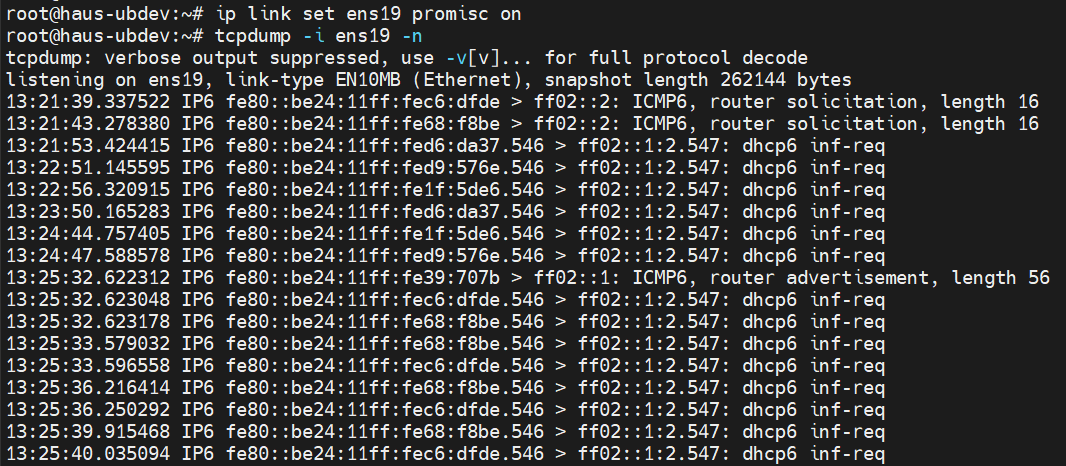
I want to send my pfsense SPAN port traffic to this machine to perform traffic analysis. But I’m only getting broadcast traffic.
Checking how Proxmox creates its virtual interfaces
Digging deeper, I read a little more about how Proxmox sets up its virtual networks. It’s somewhat confusing (even now), but I will attempt to break it down into several key points. Note that all this is about virtual networks:
When an interface is assigned to a VM, a corresponding TAP interface is created in the Proxmox, which has the VMid and the interface number. For example,
tap123i2is the 3rd interface of VMid 123.In the interface selection, you have an option to apply the Proxmox firewall. If you choose to do that, Proxmox creates another interface,
fwlnand a bridgefwbrthat joins thefwlnand the originaltaptogether. For example,fwbr123i2would joinfwln123i2andtap123i2in the same bridge. You also get yet anotherfwprinterface (eg,fwpr123i2)which is the interface that actually joins the virtual network. So all in all, by turning on the firewall at the interface level, you get 3 additional things that Proxmox creates for you.What happens if you disable the firewall? None of these
fwinterfaces are created, and thetapinterface just joins the virtual network. I thought this was a critical piece of information. Turns out, if we do a pcap on thetapinterface, and on the bridge that the interface sits on, we do get the same output as the pfsense’s SPAN port pcap.
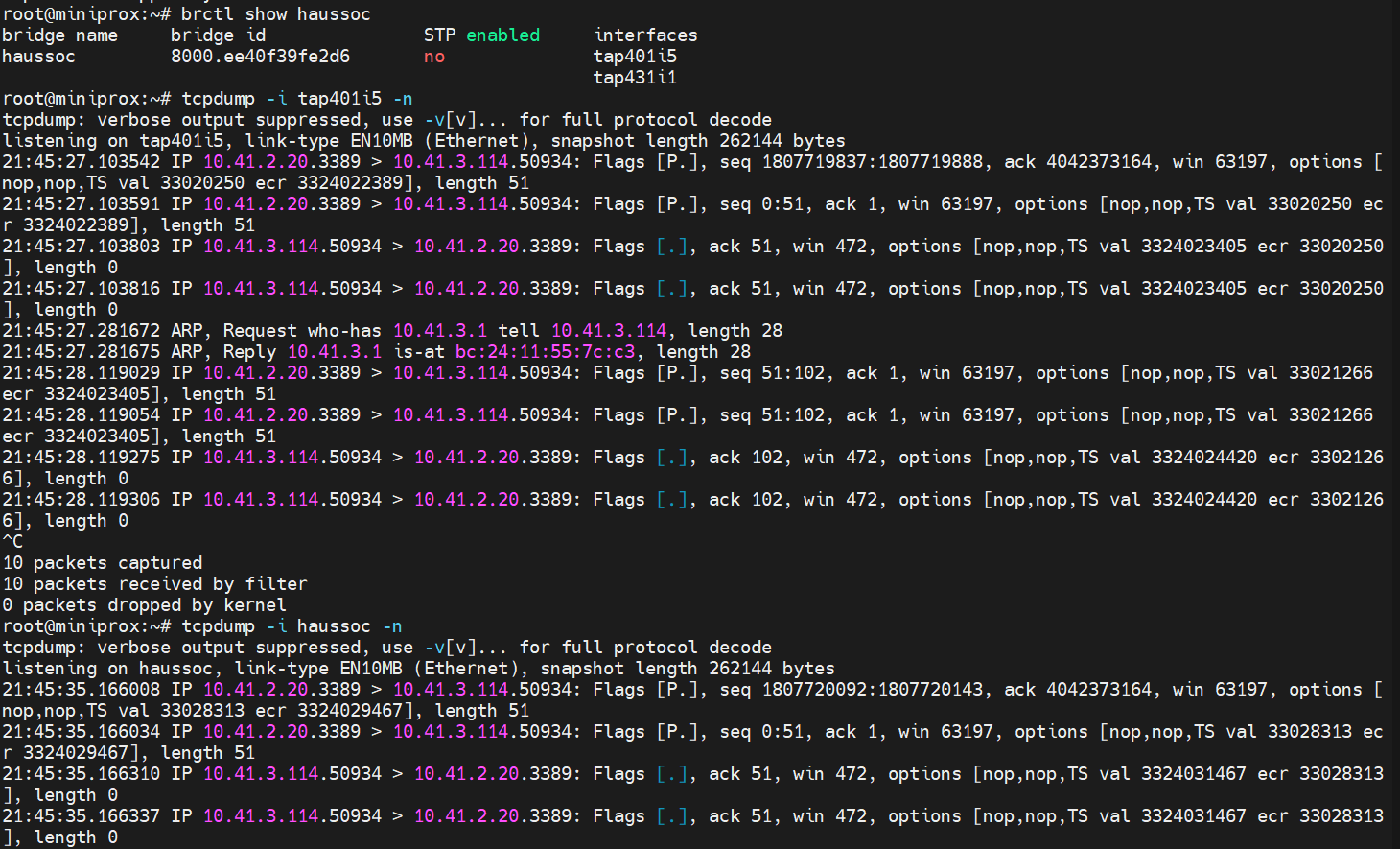
This is a pcap on the Proxmox (haussoc is the virtual network, and tap401i5 is the pfsense SPAN port)
Port mirroring on the bridge
Unfortunately, disabling the firewall is not good enough for the other device tap431i1 to capture the traffic. The same sad result happens, where only broadcast traffic is seen.
Doing a bit more digging, turns out that the bridge (haussoc) needed to mirror its traffic to other ports. And this is when things became a little more tricky. Most of the articles I read (including LLMs) suggested the installation and use of ovs-vsctl, a piece of advice which I pushed aside as a last resort. Digging around on old forum posts of older version of Proxmox, I finally found the solution was to set the bridge_ageing parameter to 0 (ie, disable MAC address learning) which would just flood all the ports in the bridge. This can be done by brctl setageing haussoc 0.
A more permanent solution would be to place the configuration in the /etc/network/interfaces, so that a reapplication of the SDNs won’t reset the bridge parameters. The configuration in my case was as follows:
auto haussoc
    iface haussoc inet manual
    address 0.0.0.0
    bridge_ports tap401i5 tap431i1
    bridge_stp off
    bridge_ageing 0
And with that set up, I could properly send my pfsense’s SPAN port traffic to some other VM for traffic analysis:
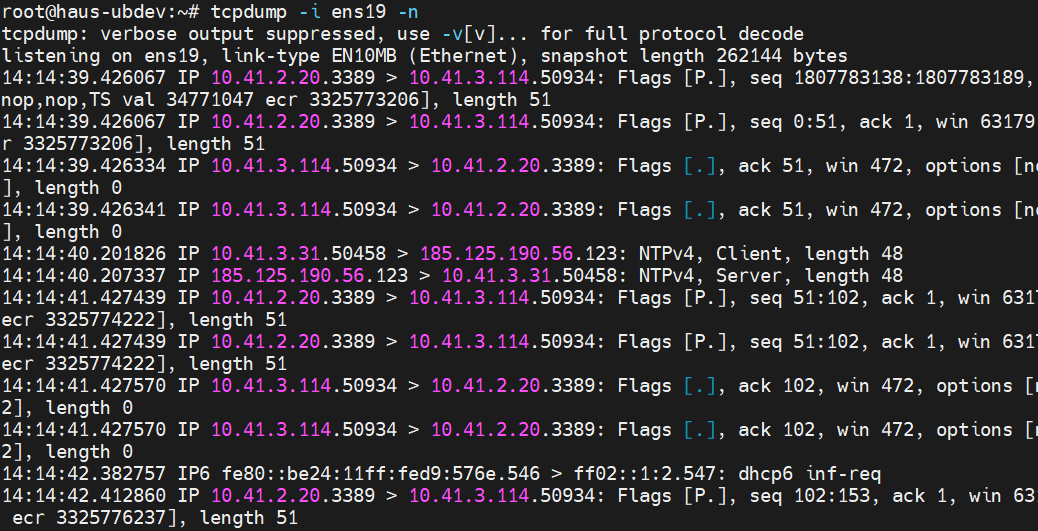
I now have my traffic from the pfsense SPAN port
Conclusion
While this post may seem short, and the solution turned out to be a single command, getting to this point was the result of quite a bit of rabbitholing. Still, it was worth it to finally get this thing set up on the Proxmox to help the Blue Team’s work in this simulated environment (hint, Intermediate Threat Hunting). And like all rabbitholing, the journey is part of the fun and it’s up to you to derive the learning value.